

On this page
- GSB Aviator login in Zambia: the short routeCheck the address before you type a passwordMobile number, password and SMS codesSigned in, but Aviator will not openLogin error messages and what each one meansApp or mobile browser: does it change the login?Aviator cash-out is not a withdrawalPredictor apps and Aviator hacks: why they ask for your loginKeeping your GSB account safe on a shared phoneWhen to contact GSB support, and what to sendGSB Aviator login: quick answersWhat the evidence helps with
GSB Aviator login in Zambia: the short route
- Type gsb.co.zm yourself or use a bookmark you saved earlier. GSB's help centre at help.gsb.co.zm points to that same domain.
- Tap Login. In search results the sign-in page sits on the same domain, under an authentication path.
- Enter the mobile number or account reference you registered with, exactly in the format the form shows, and your password.
- Once you are signed in, check that your own balance and name appear at the top before doing anything else.
- Open the Virtual section. GSB lists Aviator among its Crash Games and Fast Games, so look there rather than in the sports menu.
- Read the stake field and balance on the Aviator screen before the first round starts.
If you do not have an account yet, this is not the page to start on: registration has its own checks, explained in GSB registration online. For general account recovery that has nothing to do with Aviator, the GSB login and recovery guide goes deeper.
Check the address before you type a password
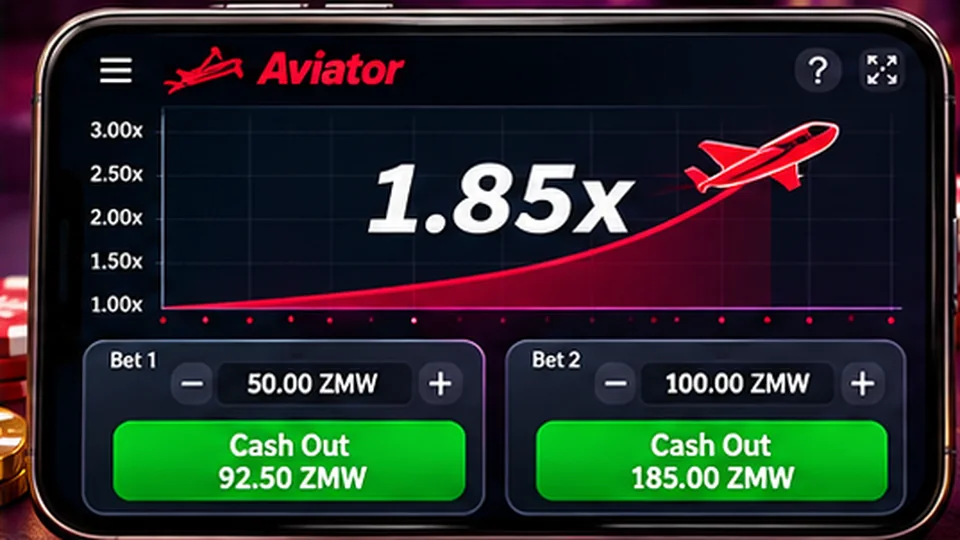
Aviator is one of the most searched games in Zambia, which makes it a favourite bait for copycat pages. A site with the GSB logo, an Aviator picture and a login box is not necessarily GSB. Some of these pages only exist to collect numbers and passwords.
Look at the full address in the browser bar, not just the page design. It should end in gsb.co.zm. Be suspicious of extra words, odd spellings, a different ending, or a page you reached from a WhatsApp forward, a Facebook advert or a Telegram signal group. If you are unsure, close the tab and type the address yourself.
This guide is an independent explainer. It does not run GSB accounts, and nothing on this site will ask for your password or codes.
Mobile number, password and SMS codes
The identifier
GSB's published terms describe signing in with the registered mobile number, or another account reference, together with the password you chose. Use the number the account was opened with. If you have changed SIM cards since then, the account still belongs to the old number until GSB updates it, so a new number will not sign you in on its own.
Follow the number format the form asks for. If it already shows the Zambian country code, do not type 260 a second time; if it expects a local number, start the way the example shows. A doubled prefix or a missing digit looks like a wrong password from the outside.
The password
Passwords are case-sensitive. Check caps lock, check that your phone has not auto-capitalised the first letter, and watch for a space added when you pasted. If a password manager filled the field, make sure the saved entry belongs to gsb.co.zm and not to another betting site.
SMS codes
Where GSB sends a code by SMS, for example during recovery, enter it only on the screen you started from. Nobody from GSB support, and certainly no Aviator signal seller, needs that code from you. A message asking you to forward it is a warning sign, not a help request.
Signed in, but Aviator will not open
Getting into the account and getting the game to load are two separate steps. When the first works and the second does not, the cause is usually on the device or the connection.
| What you see | Likely cause | What to try |
|---|---|---|
| Grey or black game window | Slow or interrupted data | Switch between Wi-Fi and mobile data, then reload the game only |
| Endless loading circle | Old cached files in the browser | Clear the browser cache for the site, or try another up-to-date browser |
| Game opens in demo or without balance | Session expired while the game loaded | Sign out, sign in again, then reopen Aviator |
| Aviator missing from the menu | Looking in the wrong section | Open Virtual and check Crash Games or Fast Games |
| Error message inside the game | Problem on the game side | Note the exact wording and time before contacting support |
Avoid pressing the bet button again and again while the screen is frozen. If a bet was accepted before the freeze, a second tap can place a second stake. Wait, reload, and look at your bet history first.
Login error messages and what each one means
| Message type | What it usually means | Next step |
|---|---|---|
| Wrong number or password | One of the two does not match the account | Retype slowly; if it fails again, use the recovery option instead of guessing |
| Account not found | The number is not registered, or the format is wrong | Check the prefix and digits before registering anything new |
| Too many attempts | A temporary lock to protect the account | Wait before trying again; repeated guesses only extend it |
| Account restricted or suspended | GSB has placed a limit on the account | Contact support and ask what the status means |
| Page cannot be reached | Connection or service problem, not your password | Check your data; try later without changing details |
The wording on your screen may differ from this table. Copy the exact message, or take a screenshot that hides your password, before you change anything. Support can act on an exact message; they cannot act on it said something about my account.
One thing never to do: open a second account because the first will not let you in. A duplicate account can freeze both, and any balance on the original stays where it is. Recovery is slower than a new sign-up, but it is the only route that keeps your money and history together.
App or mobile browser: does it change the login?
The account is the same on both. If you use an Android app, sign in with the same number and password you use in the browser; installing the app does not create a new account. Download it only from the source GSB itself points to, as explained in the GSB app download guide. An APK shared in a chat group with Aviator in its name is not a safe shortcut.
Aviator is a live, fast game, so a stable connection matters more than the choice of app or browser. On an older phone with little free memory, the browser can be the lighter option. On a newer phone the app can save a few taps. Whichever you choose, keep it updated.
Aviator cash-out is not a withdrawal
Aviator, supplied by SPRIBE, has a cash-out button inside each round. Pressing it in time moves the round's return into your GSB balance. It does not send money to your phone. Getting money out to Airtel Money or MTN MoMo is a separate request from the account's withdrawal area.
Keep the two records apart. The Aviator bet history shows rounds, stakes and returns. The account transactions show deposits and withdrawals. If money seems to be missing, check which of the two it should appear in. The withdrawal steps are covered in GSB withdrawal in Zambia, with network-specific pages for Airtel Money withdrawals and MTN MoMo withdrawals. For the rules of the game itself, see our GSB Aviator guide.
Predictor apps and Aviator hacks: why they ask for your login
Search for GSB Aviator login and you will find apps and channels promising predictions, signals or a hacked version of the game. Many of them ask you to sign in through their own page or to share your number and password so they can play for you. That is the point of the trick: they get access to your account and your wallet details.
Each Aviator round ends at a point that past rounds do not reveal, so there is nothing for a predictor to read. No outside app can see the next result. Do not pay for signals, do not install unknown apps, and never type your GSB login anywhere except gsb.co.zm or the official app.
Keeping your GSB account safe on a shared phone
If someone else may have used your account, the guide on GSB verification explains what ownership checks can look like, and GSB customer care covers how to report it.
When to contact GSB support, and what to send
Contact support when a reset does not arrive, when the account shows a restriction, or when an Aviator bet does not match your history. A useful message includes:
The body that licenses betting in Zambia is the Betting Control and Licensing Board, so look for it in GSB's licence statement; our page is GSB legal in Zambia explains how to read that claim. If Aviator is not your game and you want to compare other real-money titles on GSB, our sibling guide to casino games in Zambia for real money sets them side by side. Aviator is an adults-only game, 18+; set a stake and a time limit before you sign in, and if you need a break, see responsible gambling and account closure.
GSB Aviator login: quick answers
Do I need a separate account to play Aviator on GSB?
No. Aviator runs inside your normal GSB account and uses the same balance. Sign in with your registered number and password, then open the game from the Virtual section.
Why does GSB say my number is not registered?
Usually the format is off, for example a doubled country code or a missing digit, or you are using a newer SIM than the one you registered with. Check the number carefully before opening any new account.
I forgot my GSB password. Can I still play Aviator today?
Use the recovery option GSB offers on its sign-in screen, or ask GSB support how to reset access for your registered number. Once access is back, Aviator opens as normal from the same account and balance.
Is there an official GSB Aviator predictor?
No. Round results cannot be read from history, and any app or channel asking for your GSB login to predict or play for you is a risk to your account and money.
Why did my balance not change after I cashed out in Aviator?
Check the Aviator bet history first, then the account balance after reloading. If the round shows as cashed out but the balance looks wrong, send support the round time and stake.
What the evidence helps with
- Identifying the specific crypto comparisons question.
- Separating published guidance from an account-specific outcome.
- Following the relevant records and verified source chain.
What remains unverified
- No account, payment, support or application performance test.
- Supplied score, reviews and promotional wording are not independent results.
- Current operator authorisation and final publisher details require confirmation.
For the separate payment question, read the Documented GSB payment methods.
Prelaunch materials assembled .